Buy Windows 11 Pro Key or Go Windows 10/Server? Genuine Licenses Compared
If you want to buy a Windows 11 Pro key, the short answer is: yes, it’s worth it for most people, and you can get a genuine license for under ten dollars. But “most people” isn’t everyone. A freelancer on a three-year-old laptop, an IT admin rolling out Remote Desktop Services, and a student who just needs a stable OS all have different right answers here.
This guide cuts through the version confusion, Windows 11 Pro vs. Home, Windows 11 vs. Windows 10, OEM vs. retail keys, and whether Windows Server belongs in the conversation for your use case, with real prices and plain explanations. By the end, you’ll know exactly which license fits your setup and what a genuine key costs.
Get a genuine Windows key from $7.99 – instant delivery, a fraction of retail
Browse Windows keys →Contents
- Windows 10 vs Windows 11: Which Version Should You Actually Buy?
- Windows 11 Home vs Pro: Choosing the Right Edition
- OEM vs Retail Windows Keys: What the Difference Actually Means for You
- Windows Server Editions Explained: Standard vs Datacenter (2016 through 2025)
- How to Activate a Windows Key: Step-by-Step for All Editions
- Are Discounted Windows Keys Genuine? How DimeDigitals Keeps Prices Low
- Buy Windows 11 Pro Key: Pricing Compared to Microsoft Retail
- Which Windows License Is Right for You? A Quick Buyer's Guide by User Type
- Frequently Asked Questions
- Final Thoughts
Windows 10 vs Windows 11: Which Version Should You Actually Buy?
For most buyers in 2025, Windows 11 is the right call. Windows 10 Pro still makes sense if your hardware can’t meet the upgrade requirements. Here’s how to decide quickly.
What Windows 11 Actually Adds
Windows 11 isn’t just a visual refresh. DirectStorage cuts game load times on NVMe drives, Auto HDR improves colour on supported monitors, and Snap Layouts make multi-window working genuinely faster. The redesigned Start menu and centred taskbar take a few days to get used to, but they’re not a reason to avoid it.
The real barrier is hardware. Windows 11 requires a TPM 2.0 chip and a compatible 8th-gen Intel or Ryzen 2000-series CPU or newer. If your machine is older than that, Microsoft won’t let you install it cleanly. That’s a hard stop for a lot of pre-2018 PCs.
Why Windows 10 Is Still a Valid Purchase, Just Not for Long
Microsoft’s Windows 10 lifecycle page confirms that Windows 10 Home and Pro reached end of support on October 14, 2025. No more security patches after that date. If you’re buying a Windows 10 Pro key today, the smarter move is to treat it as a stepping stone: activate on Windows 10 now, then upgrade to Windows 11 for free once you’re ready. Microsoft has kept that upgrade path open for genuine licence holders.
Verdict by User Type
| User | Best pick | Reason |
|---|---|---|
| Student or home user (modern PC) | Windows 11 Home or Pro | Full support, gaming features, better long-term value |
| Business / IT admin | Windows 11 Pro | BitLocker, domain join, remote desktop built in, see Windows 11 Home vs Pro: which license do you need? |
| Older hardware (pre-2018) | Windows 10 Pro key now | Compatible today; plan a hardware upgrade before support ends |
If your PC qualifies and you’re ready to buy a Windows 11 Pro key, don’t hesitate. If your hardware is borderline, check TPM status in your BIOS before you spend anything. For a fuller comparison, Windows 10 vs Windows 11: should you upgrade in 2026? covers the trade-offs in detail.
Windows 11 Home vs Pro: Choosing the Right Edition
For most buyers, Pro is worth the small extra cost. The feature gap is real, and at DimeDigitals both editions start from $8.88, so you’re not choosing between cheap and expensive, you’re choosing between capable and more capable.
Microsoft’s Windows 11 Home vs Pro comparison lays out the official differences, but here’s the practical version. Pro adds BitLocker drive encryption, Remote Desktop hosting, Hyper-V for running virtual machines, Group Policy management, and Windows Sandbox for testing software safely. Home gets none of those. Pro also supports up to 2TB of RAM and 2 CPU sockets; Home caps at 128GB RAM and a single socket, irrelevant for most desktops, but it matters if you’re building a workstation.
| Feature | Home | Pro |
|---|---|---|
| BitLocker encryption | No | Yes |
| Remote Desktop (host) | No | Yes |
| Hyper-V / Windows Sandbox | No | Yes |
| Group Policy Editor | No | Yes |
| RAM support | Up to 128GB | Up to 2TB |
Get Pro if you’re a freelancer storing client files, a small-business owner who needs Remote Desktop to access your office PC from home, or an IT admin managing machines with Group Policy. Power users who run VMs will also need it.
Home is fine if you’re a student writing essays, a casual user streaming and browsing, or anyone who genuinely never touches encryption or virtualisation.
Since a genuine Windows 11 key for either edition costs the same here, defaulting to Pro future-proofs your machine without spending more. If you’re weighing key types before you commit, OEM vs Retail key: what’s the real difference? covers exactly that.
OEM vs Retail Windows Keys: What the Difference Actually Means for You
OEM keys are tied to one motherboard forever. Retail keys cost a little more but move with you to a new PC. For most home users buying a dedicated machine, OEM is the smarter buy.
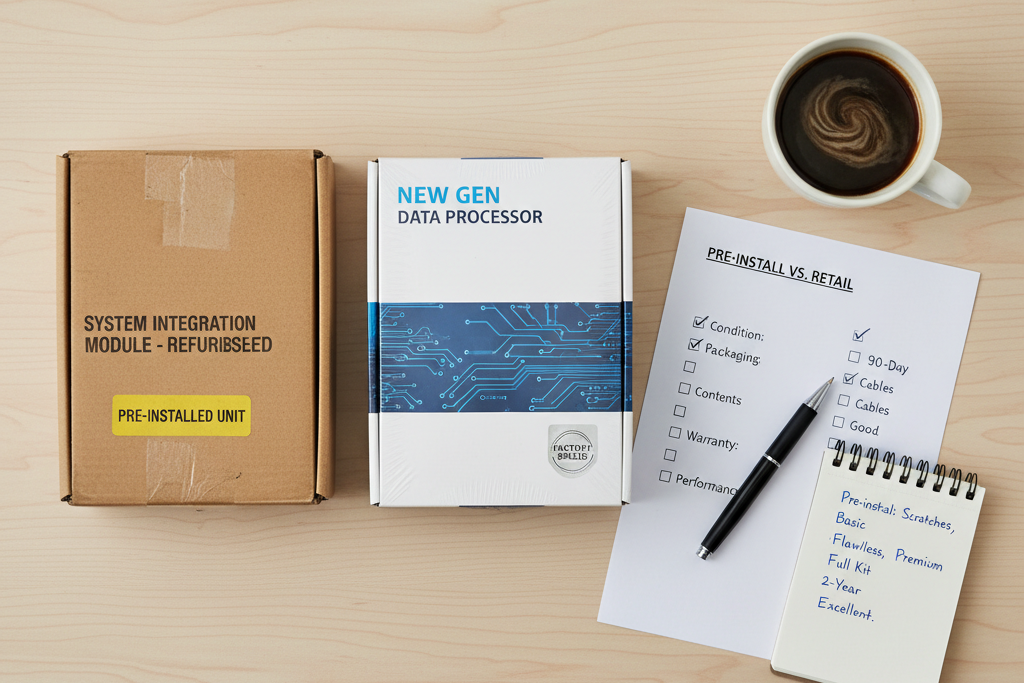
An OEM key activates Windows on one specific machine and stays there. Replace the motherboard, not just the RAM or a drive, but the actual motherboard, and that key won’t transfer. Microsoft’s Windows license transfer terms spell this out clearly: OEM stand-alone keys are tied to the hardware they first activate on, while retail licenses can move to a replacement PC.
A retail key gives you that flexibility. If you’re a freelancer who rebuilds a workstation every couple of years, or an IT admin who rotates machines, retail is worth the small premium. Deactivate on the old machine, install fresh on the new one, and you’re done.
| Feature | OEM Key | Retail Key |
|---|---|---|
| Tied to one motherboard | Yes | No |
| Transferable to new PC | No | Yes |
| Activates via Microsoft servers | Yes | Yes |
| Best for | Single dedicated machine | Frequent hardware upgrades |
Here’s what doesn’t change: both key types activate against Microsoft’s own servers using the same process. Activation is your proof the key is genuine, there’s no second-tier check for “discount” keys. DimeDigitals delivers every key to your inbox via instant digital delivery, and it works exactly like any other authentic key would.
Windows Server Editions Explained: Standard vs Datacenter (2016 through 2025)
Most small businesses need Windows Server Standard. Datacenter is only worth the extra cost if you’re running a heavily virtualised environment with many VMs on a single host.
The core difference is virtualisation rights. Standard licenses cover two virtual machines per license. Datacenter covers unlimited VMs on the same physical host, plus extras like Storage Replica and Shielded VMs. Check Microsoft’s Windows Server edition comparison for the full feature matrix, but for most SMBs with modest on-premise setups, Standard does the job cleanly.
Which Version Should You Buy?
Server 2016 is still in extended support and works fine for stable, legacy environments. Server 2019 added Hyper-V improvements and better container support, a solid choice if you’re not ready to move further. Server 2022 brought tighter security defaults and improved hybrid cloud integration with Azure. Server 2025 is the current release, with performance gains and updated storage features. If you’re building something new today, start at 2022 or 2025.
Windows Server Standard and Datacenter editions from 2016 through 2025 are available at DimeDigitals from $49.99, a fraction of what Microsoft charges through volume licensing channels. For a full breakdown of how Server licensing fits together, Windows Server license keys: 2019, 2022, and RDS CALs explained walks through every moving part.
Don’t Forget RDS CALs
If more than one user needs to connect via Remote Desktop simultaneously, you legally need RDS CALs, one per user or device. Without them, you’re out of compliance the moment a second session opens. RDS Device CALs and User CALs (50 connections) are available from $39.99. If you’re unsure how many you need, what is an RDS CAL and how many do you need? answers that directly.
How to Activate a Windows Key: Step-by-Step for All Editions
Microsoft’s Windows activation guide covers every method in detail, but here’s the practical version for buyers who just received a key and want to get moving.
Method 1: Enter the Key During Installation
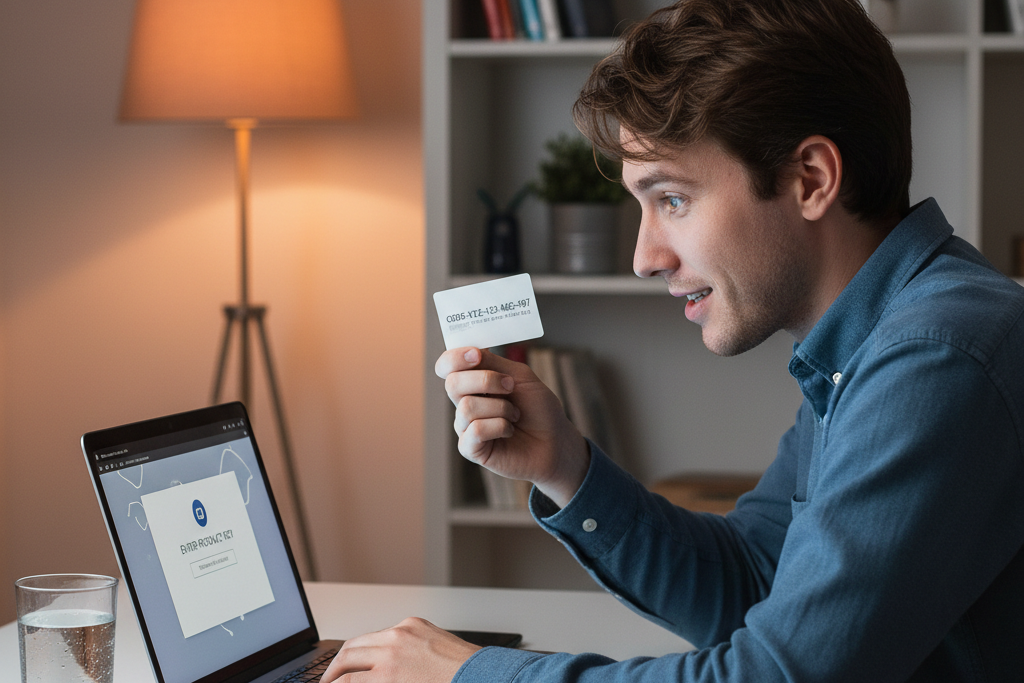
When you run the Windows 11 setup, you’ll hit a screen asking for a product key. Type it in there. Setup confirms the edition, formats accordingly, and activates automatically once your machine connects to the internet. This is the easiest path for a clean install.
Method 2: Activate After Install via Settings
Already installed Windows without a key? Go to Settings > System > Activation > Change product key. Paste your key in, hit Next, and Windows contacts Microsoft’s servers. This works for both fresh installs and in-place upgrades from Windows 10 to 11. The full walkthrough is in our guide on how to activate Windows 11 with a product key.
Method 3: Command Line (Server Editions and Power Users)
Open an elevated Command Prompt and run slmgr /ipk YOUR-KEY, then slmgr /ato. Windows Server Standard and Datacenter editions often use this method. If you’re licensing Remote Desktop Services alongside your server, you’ll also need CALs, see what is an RDS CAL and how many do you need? before you buy.
Link Your Microsoft Account for Easy Re-activation
After activation, go to Settings > System > Activation and link your Microsoft account. Windows stores a digital license tied to your account, so if you swap a motherboard or reinstall, re-activation is usually automatic, no key re-entry needed.
If Activation Fails
The two most common causes are entering the key on the wrong edition (a Home key on a Pro install, for example) and a key that’s already been used on another machine. DimeDigitals buyer protection covers both, contact support with your order details and they’ll sort it. Every key activates directly against Microsoft’s own servers; no third-party tools, no workarounds.
Are Discounted Windows Keys Genuine? How DimeDigitals Keeps Prices Low
Yes, a cheap Windows 11 key can be completely genuine. The price difference has nothing to do with piracy and everything to do with how Microsoft’s licensing ecosystem actually works.
Keys enter the market through several legitimate channels: volume licensing pools where businesses buy in bulk at lower per-unit costs, regional pricing differentials where the same license costs less in certain markets, and unused OEM stock that never got paired with hardware. None of that makes the key less real. It activates against Microsoft’s own servers, and Microsoft’s explanation of genuine Windows is straightforward, if activation succeeds, the software is genuine. That’s the only test that matters.
The risks people worry about, cracked ISOs, key generators, random forum sellers, are real, but DimeDigitals is none of those things. Keys are delivered digitally to your inbox after a secure checkout, and buyer protection is included with every purchase. When people search “cheap Windows 11 key” or ask on forums whether discount stores are trustworthy, the honest answer is: it depends on the seller. The question to ask is whether the key activates cleanly and whether the seller stands behind it. Both answers are yes here.
For a deeper look at how discounted license markets work, are cheap Windows keys legit? the complete buyer’s guide covers the full picture. And if you want to see how DimeDigitals compares to other options, is DimeDigitals legit? how our buyer protection works explains exactly what’s in place for every order.
Buy Windows 11 Pro Key: Pricing Compared to Microsoft Retail
Microsoft charges $139 for Windows 11 Home and $199 for Windows 11 Pro directly. DimeDigitals sells genuine activation keys for both Windows 10 and Windows 11 from $8.88, the same license, activated against Microsoft’s own servers, for a fraction of the retail price.

Tom’s Hardware’s report on Microsoft’s Windows 11 pricing confirms those official figures, so there’s no ambiguity about what you’d pay going direct. The savings here aren’t marginal.
| Edition | Microsoft Retail | DimeDigitals |
|---|---|---|
| Windows 11 Home | $139 | from $8.88 |
| Windows 11 Pro | $199 | from $8.88 |
| Windows 10 Pro | $199 | from $8.88 |
If you’re building out a full workstation, pair a Windows 11 key with Microsoft Office Professional Plus from $9.99. You get a licensed OS and a complete productivity suite, Word, Excel, PowerPoint, Outlook, for under $20 combined. For help picking the right Office version alongside your Windows purchase, genuine Microsoft Office license keys: every version explained breaks it all down. And if you’re still weighing where to buy, where to buy genuine software keys: a practical comparison covers your options honestly.
Which Windows License Is Right for You? A Quick Buyer’s Guide by User Type
The right Windows license depends on what you do with your PC. Match yourself to one of these profiles and you’ll know exactly what to buy.
Students
Windows 11 Home covers everything you need, browsing, Office apps, video calls, and gaming. You don’t need Pro features, and the lower price at DimeDigitals keeps more money in your pocket for textbooks.
Freelancers and Remote Workers
Get Windows 11 Pro. BitLocker encrypts your client files if your laptop gets lost, and Remote Desktop lets you connect back to your work machine from anywhere. These are Pro-only features that genuinely matter in day-to-day freelance work, and a genuine Windows 11 Pro key is still well under $10 here.
Families with Multiple PCs
Windows licenses are per device, so each machine needs its own key. The per-key price at DimeDigitals makes buying two or three keys far less painful than retail. Home is fine for most family machines; grab Pro only for a shared household workstation that needs tighter security.
Small Businesses (1-50 Seats)
Buy Windows 11 Pro keys in quantity and pair them with Office. Many buyers in this group also need Word, Excel, and Outlook alongside their OS, picking the right Office product is just as important as the Windows version.
IT Admins and MSPs
Windows Server Standard or Datacenter plus RDS CALs is the right stack. Both are available at DimeDigitals from $49.99, which is the most cost-effective way to license a multi-user environment without cutting corners on compliance.
Windows 10 Upgraders
With Windows 10 support now ended, buying a Windows 11 Pro key means you move on your schedule and lock in the current low price. Your existing files and apps carry over through an in-place upgrade, no clean install required if you’d rather not start from scratch.
Frequently Asked Questions
Is it safe to buy a cheap Windows 11 Pro key from a third-party reseller?
Yes, if the reseller sources genuine keys. When you enter a key and Windows activates against Microsoft’s own servers, that’s your proof the license is real. DimeDigitals supplies genuine product keys that pass exactly that activation check, and buyer protection is included with every purchase. The price is low; the activation result is identical to buying direct from Microsoft.
What is the difference between Windows 11 Home and Windows 11 Pro?
Pro adds BitLocker drive encryption, Remote Desktop hosting, Hyper-V virtualisation, Group Policy management, and Windows Sandbox. Home skips all of those. For freelancers, small-business owners, or anyone who remotely accesses their PC, Pro is the right call. At DimeDigitals, both versions start from $8.88, the price gap is small enough that most buyers should just go Pro and keep the options open.
Can I upgrade from Windows 10 to Windows 11 using a new product key?
Yes. Enter a genuine Windows 11 Pro key on a Windows 10 machine and it will upgrade and activate in one step, provided your hardware meets the requirements (TPM 2.0, Secure Boot, a compatible CPU). If your PC already qualifies for the free upgrade path from Microsoft, try that first. If it doesn’t, or you want a clean install, a Windows 11 Pro key from DimeDigitals from $8.88 handles it.
What is the difference between an OEM and a Retail Windows key?
An OEM key is tied to the motherboard it first activates on, you can’t move it to a new PC. A Retail key travels with you; transfer it to new hardware whenever you upgrade. Both activate against Microsoft’s servers in exactly the same way and produce a fully genuine Windows installation. For a single machine you don’t plan to replace, OEM is fine. DimeDigitals carries both types.
Where is the best place to buy a Windows 11 Pro key?
DimeDigitals. You get a genuine license key delivered to your inbox instantly after checkout, prices from $8.88, SSL-secured payment, and buyer protection. The same store stocks Windows 10 Pro keys, Windows Server editions, and Office licenses, so you can sort your entire software setup in one place without paying anywhere near retail on any of it.
Do I need a new Windows license key if I replace my motherboard?
With an OEM key, yes, OEM licenses are hardware-locked, and a motherboard swap typically breaks activation. A Retail key can be transferred to the new hardware without buying again. Before any major hardware change, link your digital license to your Microsoft account; that makes reactivation much smoother. If you want future flexibility, buy a Retail key from DimeDigitals from the start.
What Windows Server edition should a small business buy?
Windows Server Standard covers almost every small-business workload, it supports up to two virtual machines and handles typical file, print, and application server roles. Datacenter is only worth the extra cost if you’re running heavy virtualisation with many VMs. DimeDigitals stocks Windows Server Standard and Datacenter from 2016 through 2025, starting from $49.99. If you’re setting up Remote Desktop for multiple staff, add RDS CALs, available from $39.99 for 50 connections.
Final Thoughts
The decision isn’t complicated once you know what you actually need. Windows 11 Pro is the right pick for most buyers, it’s fast, fully supported, and a genuine license key costs under ten dollars here. If your hardware can’t pass the TPM 2.0 check, Windows 10 Pro buys you time at the same price, with a free upgrade path to Windows 11 when you’re ready. Running a server environment or need remote desktop access for a team? Windows Server with the right CALs is the only route that makes sense.
When you’re ready to buy a Windows 11 Pro key, you’ll get a genuine license delivered to your inbox, activate directly against Microsoft’s servers, and pay a fraction of what the retail box costs. Pick your version, confirm your system requirements, and you’re done.