Windows 10 vs Windows 11: Should You Upgrade in 2026?
Windows 10 vs Windows 11, here’s the short answer: if your PC meets the requirements, upgrade now. Microsoft ended free security updates for Windows 10 in October 2025, which means staying on it is a real risk, not just a nudge from a pop-up.
That said, the decision isn’t identical for everyone. A newer laptop with a TPM 2.0 chip is a different situation from a five-year-old desktop you’re not ready to replace. This guide covers compatibility, what you actually get in Windows 11, who should wait, and where to get a genuine key without overpaying.
Genuine discounted software, accounts and keys, delivered in minutes
Browse the shop →Contents
- Windows 10 vs Windows 11: Key Differences at a Glance
- User Interface: What Actually Changed
- Performance: Is Windows 11 Actually Faster?
- Windows 11 Hardware Requirements: Will Your PC Qualify?
- Security: Why Windows 11 Is the Safer OS in 2026
- AI Features and Productivity: What Windows 11 Adds in 2026
- Who Should Upgrade, and Who Should Wait?
- How to Get a Genuine Windows Key Without Paying Full Price
- Frequently Asked Questions
- Final Thoughts
Windows 10 vs Windows 11: Key Differences at a Glance
Both are genuine Microsoft operating systems, the question is which one fits your machine and your next few years.
| Feature | Windows 10 | Windows 11 |
|---|---|---|
| UI Design | Classic taskbar, Start menu left-aligned | Centered taskbar, rounded corners, cleaner layout |
| Security Updates | Ended October 14, 2025 | Active, patches still rolling out |
| Hardware Requirements | Flexible, runs on older CPUs | TPM 2.0, 64-bit CPU required |
| Gaming | Solid, DirectX 12 supported | DirectStorage and Auto HDR built in |
| Performance | Stable on older hardware | Better on modern chips |
| Support Status | End of life | Fully supported |
StatCounter’s Windows version market-share data shows Windows 11 adoption climbing steadily, but plenty of users are still on 10, often because their hardware doesn’t meet the upgrade requirements. If your PC qualifies, moving to Windows 11 is the practical call. Need help choosing an edition? See Windows 11 Home vs Pro: which edition fits your needs before you buy a key.
User Interface: What Actually Changed
The UI shift is real, but it’s not dramatic. Most people adjust within a few days.
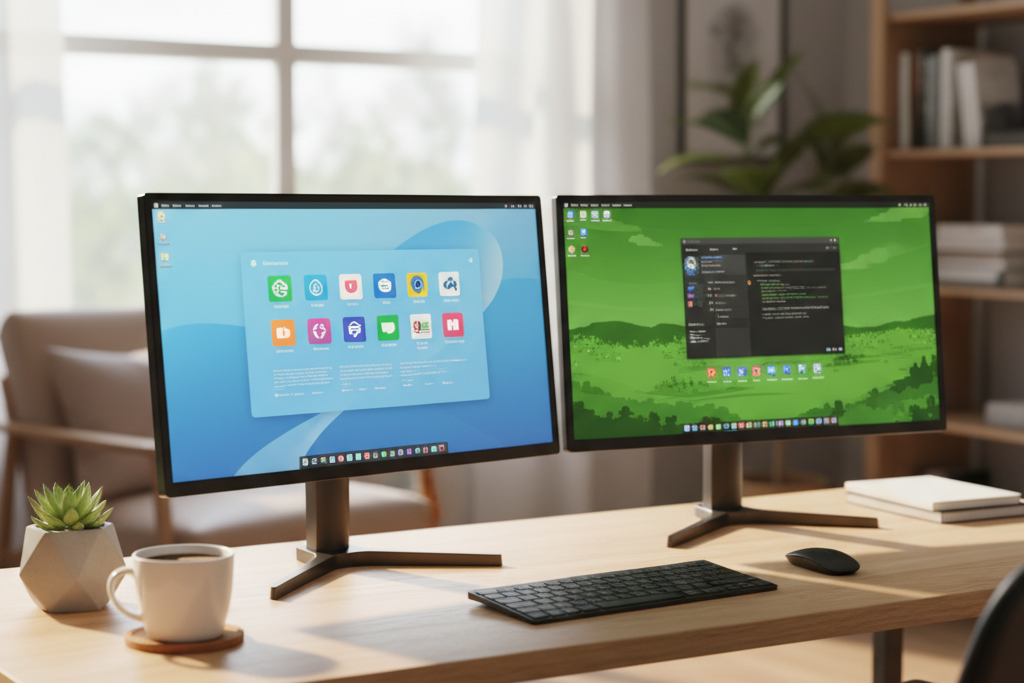
Windows 11 moves the Start Menu and taskbar to the center of the screen by default, adds rounded corners, a cleaner Settings app, and a Widgets panel. Windows 10 keeps everything left-aligned, exactly where Windows users have clicked for years. The genuinely useful addition is Snap Layouts, hover over a window’s maximize button and you get instant split-screen presets, handy if you work with several apps open at once.
Windows 11 does feel more Mac-like. Some users love the polish; others find it unfamiliar and move the taskbar back through Settings. Either way, the UI is rarely a dealbreaker. Don’t upgrade purely for looks, but don’t let the new layout put you off, it’s cosmetic and learnable.
Performance: Is Windows 11 Actually Faster?
On supported hardware, Windows 11 wins the performance comparison, not by a dramatic margin, but consistently. Boot times are roughly on par or slightly quicker, and Windows 11’s memory manager actively prioritizes RAM for the app in focus, which makes multitasking feel snappier.
For gaming, Windows 11 has a real edge. DirectStorage cuts load times on NVMe drives, Auto HDR adds dynamic range to older titles, and improved GPU scheduling reduces frame-time stutters. TechSpot’s Windows 11 vs Windows 10 gaming benchmarks show Windows 11 pulling ahead in modern titles, though the gap varies by game and hardware.
The caveat is low-end machines. Windows 11 runs heavier below the minimum spec, but Windows 10 support ended in October 2025, so staying on it means no security patches. That’s not a safe trade-off. Early Windows 11 instability is largely gone by 2026’s cumulative updates, so the hesitation that made sense in 2021 mostly doesn’t apply now.
Windows 11 Hardware Requirements: Will Your PC Qualify?
Before thinking about keys or pricing, check whether your machine can actually run Windows 11. Microsoft’s Windows 11 system requirements are stricter than most people expect: a 1 GHz dual-core 64-bit processor, 4 GB RAM, 64 GB storage, DirectX 12 graphics, Secure Boot, and TPM 2.0.
TPM 2.0 is the most common blocker. It’s a small security chip, either soldered to your motherboard or built into your CPU, and many PCs made before 2018 don’t have it enabled, or don’t have it at all. Open your BIOS on startup and search for “TPM”, “PTT” (Intel), or “fTPM” (AMD). If it’s there but disabled, turn it on and you’re likely good. Run Microsoft’s free PC Health Check tool to get a definitive answer in under a minute.
If your PC qualifies, a genuine Windows 11 Pro key activates directly against Microsoft’s servers, same as any retail copy. If it doesn’t qualify, no key fixes that, the real decision becomes whether to buy a new PC. Security-conscious users on either version should also consider whether Windows Defender is enough in 2026 or whether paid antivirus fills a gap.
Security: Why Windows 11 Is the Safer OS in 2026
Windows 10 reached end of support in October 2025. Every unpatched vulnerability discovered after that date stays open on your machine, permanently.
Windows 11 raises the baseline with hardware-enforced protections. TPM 2.0 and Secure Boot are required at install, blocking firmware-level attacks that bypass traditional antivirus. Credential Guard and virtualization-based security keep login credentials isolated from the rest of the OS. For a freelancer storing client files or a small business handling payment data, running Windows 10 in 2026 is a genuine exposure. Microsoft does sell paid Extended Security Updates for Windows 10, but that’s extra cost for a shrinking safety net. Security alone makes upgrading the smarter call.
AI Features and Productivity: What Windows 11 Adds in 2026
Windows 10 has no native AI features. Windows 11 does, and the gap keeps growing.

Copilot sits in the taskbar and handles quick tasks, summarising clipboard text, adjusting settings, drafting replies, without switching apps. Snap Layouts let you arrange four windows in seconds; Snap Groups remember those arrangements when you alt-tab back. Focus Sessions, Live Captions, and improved virtual desktops round out a workflow Windows 10 simply can’t match natively. Phone Link now syncs notifications and files from both Android and iPhone, a small detail that saves real time across a workday.
For freelancers weighing the Windows 10 vs Windows 11 decision, pairing a Windows 11 Pro key with a ChatGPT Plus account, both available at DimeDigitals, gives you a genuinely AI-powered setup for a fraction of what either costs at retail.
Who Should Upgrade, and Who Should Wait?

Students should upgrade now. Windows 11 Home covers everything you need, and Microsoft’s Windows 10 end-of-support notice confirms security patches stopped after October 2025, not a risk worth carrying across four years of coursework.
Freelancers and remote workers want Windows 11 Pro. BitLocker, Remote Desktop, and Hyper-V are Pro-only features that matter when client data and remote sessions are involved.
Families are fine with Home. Parental controls are genuinely improved in Windows 11, and everyday use asks nothing more.
Small businesses and IT admins shouldn’t stay on Windows 10 past 2025. The compliance exposure alone makes the upgrade non-negotiable.
Gamers on supported hardware gain real benefits, DirectStorage and Auto HDR aren’t marketing fluff.
Low-end PC users below minimum spec should sort the hardware first. A new OS key won’t help a machine that can’t run it cleanly. For everyone else on a supported PC, a genuine Windows 11 Pro key from DimeDigitals starts at $8.88, the most straightforward way to upgrade without overpaying.
How to Get a Genuine Windows Key Without Paying Full Price
Microsoft sells Windows 11 Home at $139 retail and Pro at $199. You don’t need to pay either price. Genuine keys exist well below retail because volume licensing pools, regional pricing, and surplus stock all feed into the same activation system, and activation against Microsoft’s own servers is your proof the key is real. For more on how this works, see OEM vs Retail Windows keys explained.
At DimeDigitals, Windows 10 and Windows 11 Pro or Home license keys start from $8.88, delivered to your inbox instantly after checkout. Activation takes two minutes: open Settings, go to Update & Security, then Activation, and enter the key. For a full walkthrough, see how to activate Windows 11 with a product key. Secure checkout and buyer protection are standard, and DimeDigitals also stocks Microsoft Office and antivirus software from ESET and Kaspersky, so you can sort your full setup in one place.
Frequently Asked Questions
What is the main disadvantage of Windows 11?
The biggest drawback is the strict hardware requirements, TPM 2.0 in particular locks out older but otherwise capable PCs. The redesigned Start menu and taskbar also take some getting used to, and performance on borderline hardware can trail Windows 10. That said, any PC that genuinely meets the requirements will find these issues minor against the security improvements and ongoing support Windows 11 delivers in 2026.
Can I keep using Windows 10 forever?
Technically yes, Windows 10 keeps running. But Microsoft ended free security updates in October 2025, so staying on it in 2026 means your PC is exposed to unpatched vulnerabilities. Microsoft offers paid Extended Security Updates, but the cost adds up fast. A genuine Windows 11 license key from DimeDigitals starts at $8.88, a far more cost-effective and future-proof path.
Is Windows 12 coming soon, and should I wait?
As of 2026, Microsoft has not confirmed a Windows 12 release date or even the name. Waiting indefinitely means staying on an unsupported OS with no security patches. Windows 11 will receive updates for years to come, and a genuine Windows 11 Pro key is affordable enough now that waiting for an unconfirmed release simply isn’t worth the security risk.
What can Windows 11 do that Windows 10 can’t?
Windows 11 brings Copilot AI integration, DirectStorage for faster game load times, Auto HDR, Snap Layouts for cleaner multitasking, and mandatory TPM 2.0 security baked into the OS. None of these are available on Windows 10, and the gap widens with every Windows 11 update. For students, gamers, freelancers, and small businesses, these additions make a real difference in daily use.
Is it safe to buy a cheap Windows 11 key online?
Yes, from a reputable seller. Discounted keys are genuine, they come from volume licensing pools, regional pricing, and surplus stock. The proof is simple: the key activates directly against Microsoft’s own servers, and that activation confirms it’s real. DimeDigitals provides instant digital delivery, secure checkout, and buyer protection on genuine Windows 10 and Windows 11 Pro and Home keys starting from $8.88.
Should I buy Windows 11 Home or Windows 11 Pro?
Home covers everyday tasks for students and families without any gaps. Pro adds BitLocker encryption, Remote Desktop, Hyper-V virtualization, and business management features that freelancers, small-business owners, and IT admins genuinely need. Both are available at a fraction of retail, so the step up to Pro is affordable, and if you use your PC for any kind of work, Pro is the smarter buy.
How do I upgrade from Windows 10 to Windows 11?
Start by running Microsoft’s PC Health Check tool to confirm your hardware meets Windows 11 requirements, TPM 2.0, Secure Boot, and a compatible CPU are the key checkpoints. If your PC qualifies, purchase a genuine Windows 11 Pro or Home license key from DimeDigitals, then enter it under Settings > Update & Security > Activation. Windows activates against Microsoft’s servers, and you can then pull the upgrade through Windows Update or the Installation Assistant. The whole process typically takes under an hour.
Final Thoughts
The Windows 10 vs Windows 11 decision comes down to your hardware and your timeline. If your PC meets the requirements, upgrade now, security support for Windows 10 ended in October 2025, and Windows 11 is the safer long-term bet. If your machine can’t run it, stay on 10 until you replace the hardware, then buy 11 with it.
Either way, you don’t need to pay retail. Check out our guide on genuine Windows license keys for Windows 10 and 11 to see exactly which version fits your setup and what a legitimate key costs. Both activate against Microsoft’s own servers, that’s your proof they’re real, delivered straight to your inbox.